
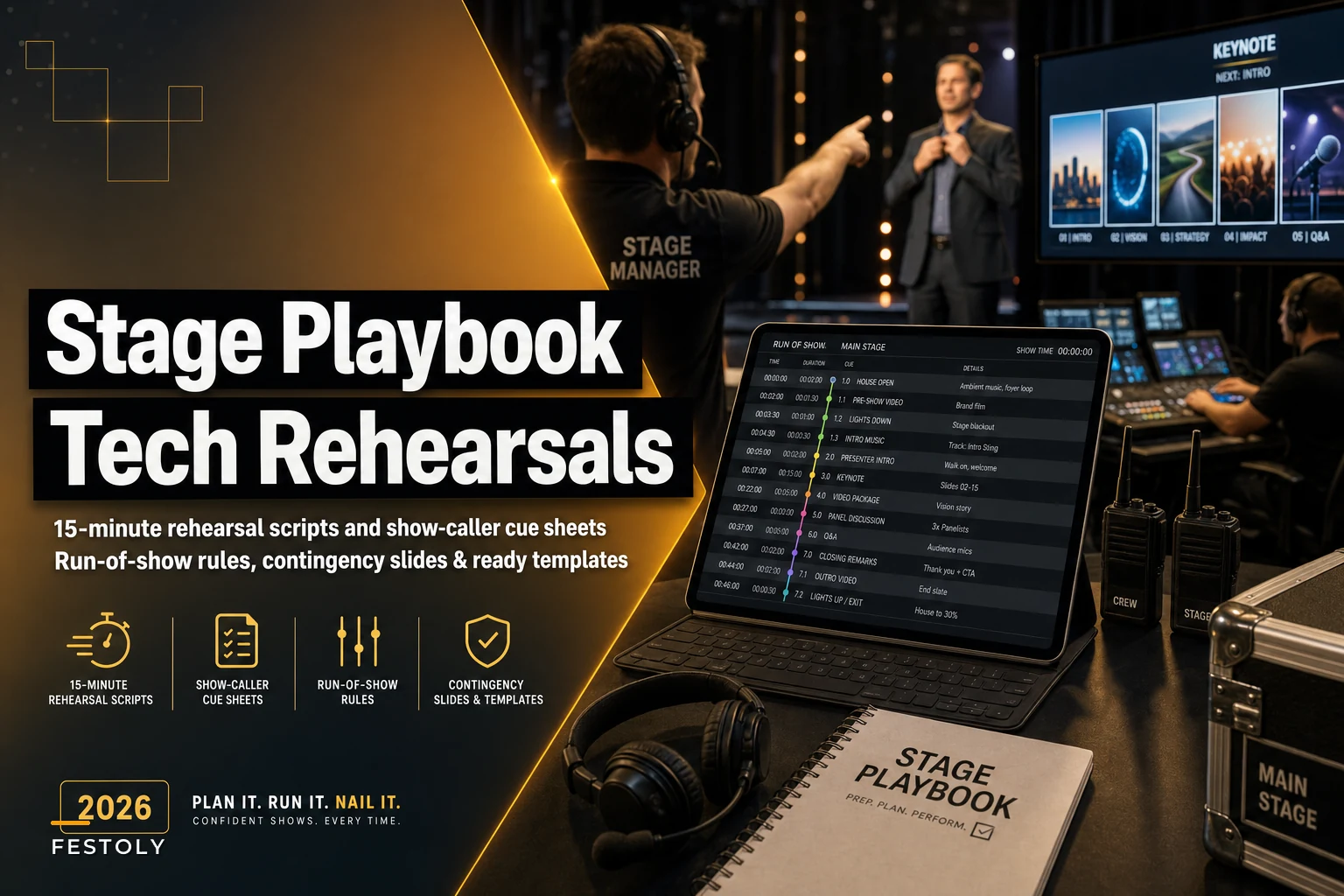

The moment that breaks most stage programs isn't the big AV failure everyone plans for. It's the boring stuff — a speaker who never got a real mic check, a presenter deck loaded on the wrong laptop, a Q&A that eats into the next session because nobody was tracking time out loud. These don't feel catastrophic in the moment. They just quietly compound until you're 14 minutes behind by lunch and the room feels loose.
This playbook covers the operational spine of speaker stage operations: how you rehearse fast, how the show‑caller keeps everyone honest, what rules keep the run‑of‑show tight, and what you actually say and do when something breaks live. Not theory — the scripts and sheets you'd hand a stage manager the morning of.
Why stage timing slips before the first speaker even talks
Watch a general session load in and the failure points are almost always upstream of the content. The speaker shows up four minutes before their slot, hasn't held that confidence monitor's clicker before, and doesn't know whether their slides advance on the laptop or the remote. Nobody assigned who "owns" the transition between two back‑to‑back panels. The house AV tech knows their board cold but has no idea the second speaker wants a lav instead of a handheld.
Timing slippage is rarely one big delay. It's six small ones — 90 seconds for a mic swap, two minutes because a speaker walked on and immediately asked "can everyone hear me?" — and by the third session those gaps add up into a real hole. The pattern is consistent: the more speakers you have per block, the faster small friction turns into a schedule that no longer matches your printed agenda.
The fix isn't more buffer time. Buffer gets eaten. The fix is rehearsing the transitions and mechanics, not the content, and giving one person the authority to call the room.
The 15‑minute tech rehearsal that actually catches problems
You will almost never get a full dress rehearsal with every speaker. What you can get is 15 minutes per person, or per session block, during load‑in or a break. The trick is spending those 15 minutes on the things that break — not on letting the speaker practice their talk.
Eliminate event chaos with Festoly.
Manage every aspect of your event seamlessly — from planning to execution.
- Centralized event scheduling
- Real-time attendee tracking
- Vendor & resource coordination
No credit card required
Run it exactly in order, and don't let a speaker turn it into a run‑through of their content.
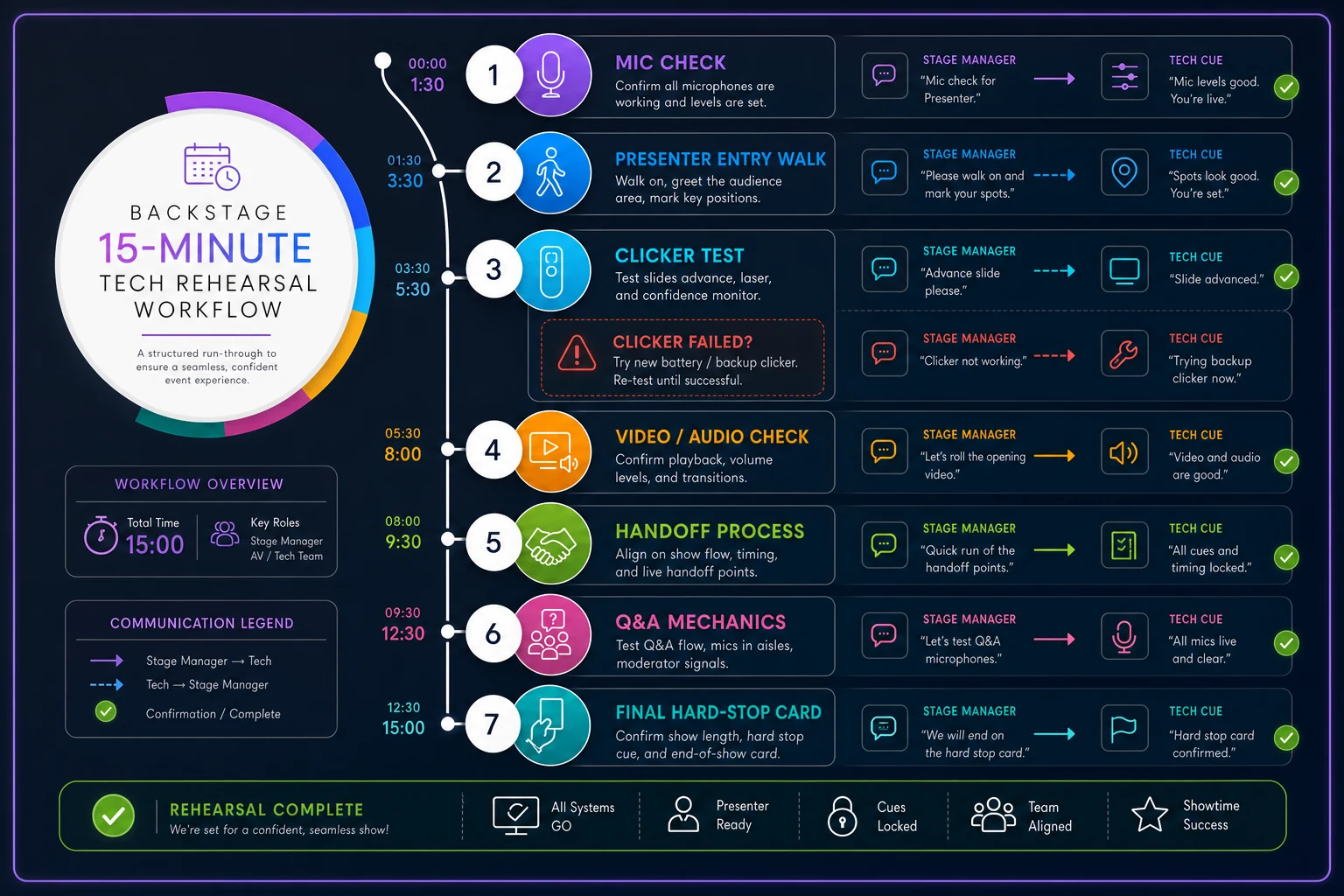
The 15‑Minute Tech Rehearsal Script
-
Minutes 0–2 — Mic on, level set. Speaker talks at normal volume, then their loud/excited volume. Tech sets gain for the loud one. Confirm lav vs handheld and that the pack is clipped somewhere it won't rustle.
-
Minutes 2–4 — Walk the entry. Speaker walks on from the exact spot they'll enter, hits their mark, and finds the confidence monitor. This kills the "where do I stand" wander that costs 20–30 seconds live.
-
Minutes 4–7 — Advance a slide, then advance it wrong. They click forward, back, and — critically — you show them what to do if the clicker dies (hand signal to the stage manager). Most missed clicks come from people who've never held that remote before.
-
Minutes 7–9 — Video/audio embed test. If their deck has a video, play it. This is where roughly 4 in 10 tech surprises live. Confirm sound routes through the house, not the laptop speakers.
-
Minutes 9–11 — The handoff. Rehearse exactly how they leave and how the next person comes on. Who's holding the mic? Does the stage manager reset the clicker?
-
Minutes 11–13 — Q&A mechanics. Where do questions come from — floor mic, runner, app? Speaker practices repeating the question so the recording and the back rows catch it.
-
Minutes 13–15 — The out. Confirm the hard stop time and the "wrap it up" signal. Say it out loud: "When you see this card, you have two minutes."
Notice what's missing: their actual speech. You're rehearsing the plumbing. A speaker who's nervous about content will try to hijack this — hold the line. These 15 minutes are for the mechanics that only break under stage conditions.
Keep a backup clicker synced to the show machine at all times.
Here's a quick visual of the rehearsal workflow if you want to share it with a volunteer or the stage manager.
A speaker who's nervous about content will try to hijack this — hold the line. These 15 minutes are for the mechanics that only break under stage conditions.
Show‑caller cue sheets: the one document that runs the room
The show‑caller is the single person watching the clock, cueing lights and video, and deciding when to push a speaker off. If that role is fuzzy, the room drifts. The cue sheet is how that person stays a beat ahead instead of reacting.
A good cue sheet is not the run‑of‑show. The run‑of‑show is the plan. The cue sheet is the calling version — stripped down, time‑anchored, and written in the imperative so it can be read at a glance in a dark room.
Here's the difference in practice:
| Element | Run‑of‑Show (planning doc) | Show‑Caller Cue Sheet (calling doc) |
|---|---|---|
| Time format | Clock times (10:15 AM) | Elapsed + hard stops ("+12:00, HARD 10:30") |
| Language | Descriptive sentences | Short commands ("GO video 3", "STANDBY mic 2") |
| Detail level | Full session notes, bios | Only what triggers an action |
| Audience | Whole team, speakers | The caller and A1/A2 only |
| Contingency | Buried in appendix | Inline, right where it might happen |
A workable cue sheet line looks like this:
> +00:00 LIGHTS full stage. STANDBY walk‑on music. > +00:15 GO music. Speaker enters SR. Mic 1 live. > +18:00 CUE 2‑min card to speaker (visual, no talkback). > +20:00 HARD STOP. If over, GO wrap music at low, ramp over 20 sec. > HANDOFF Runner takes Mic 1, resets clicker, hands Mic 2 to next speaker at podium.
Two details that separate calm rooms from chaotic ones: every cue has a standby before the go, and every hard stop has a defined escalation so the caller isn't inventing a response while a keynote runs long.
Standard run‑of‑show rules that keep sessions honest
Beyond the documents, a handful of rules prevent the recurring problems. These work best as non‑negotiables the whole stage team agrees to before doors open.
-
One clock, one voice. Only the show‑caller calls time. Speakers, panel moderators, and organizers do not freelance "we have five minutes left" — it confuses the caller and the speaker.
-
No live mic changes without a standby. Every mic swap gets a 30‑second standby cue. Cold swaps are where you get the pop, the dead mic, the awkward pause.
-
The 2‑minute card is silent. Time signals are visual. Talkback into a speaker's ear mid‑sentence usually makes things worse.
-
Handoffs have an owner. Every transition between speakers is assigned to a named person, not "the AV team." Ambiguity here is the number‑one source of dead air.
-
Decks are locked and loaded the block before. No presenter loads their own laptop during a live session. Files live on the show machine, tested, one session ahead.
-
The caller can push. The show‑caller has explicit authority to cut Q&A or start wrap music. If they have to ask permission from three people, the schedule is already gone.
The rule that gets the most pushback is "one clock, one voice." It feels controlling. But a room with multiple people signaling time is a room where the speaker looks up confused and loses their place — and that pause costs more than the minute you were trying to save.
Contingency scripts: what you say when it breaks live
The difference between a hiccup and a disaster is whether the person on stage has words ready. Silence reads as panic. A calm, pre‑written line reads as control. These are the four failures that happen most often, with the actual language to use.
Slides go dark / laptop drops signal Stage manager to speaker (via visual cue or quiet approach): "Keep talking, we're bringing slides back." Speaker line to audience: "While tech works their magic, let me tell you the story behind this next slide." The recovery is always: give the speaker a reason to keep talking without slides. Never let them stand and wait.
Mic dies mid‑sentence Runner brings the pre‑positioned backup handheld — which lives at the SR podium, always. Caller: "STANDBY mic 3, walk it to podium." Speaker doesn't apologize repeatedly. One line: "Let's try this one." Move on.
Speaker runs long past the hard stop Caller triggers wrap music at low volume, ramps over 20 seconds. Moderator or host steps to the edge of stage as a physical cue. Host line: "We're going to have to leave it there — grab our speaker at the break to keep the conversation going."
Wrong deck loads Caller: "HOLD, wrong file, pulling correct deck." Host or MC bridges: "Give us ten seconds — worth getting this right." Ten seconds of honest waiting beats two minutes of a speaker clicking through the wrong slides looking confused.
The common thread: assign the words to a specific role before the show, and rehearse the recovery — at minimum the slides‑dark scenario — in your 15‑minute window. A recovery line spoken confidently is worth more than a redundant projector nobody knows how to switch to.
A real scenario: a two‑day regional conference
A mid‑size professional association ran a two‑day event — around 320 attendees, one main stage, two breakout rooms, 18 speakers across the program. Day one was rough. Sessions drifted 12–15 minutes behind by early afternoon because speakers were doing their own mic checks on stage, transitions had no owner, and one keynote video played with no sound while the presenter kept talking over silence for close to a minute.
For day two they changed almost nothing about the content and everything about the operations. They blocked 15‑minute tech rehearsals during breakfast and the mid‑morning break, ran them on the mechanics script above, and printed proper show‑caller cue sheets instead of handing the AV lead the full agenda. One volunteer was assigned solely to handoffs and the clicker reset between speakers.
Day two ran within 3–4 minutes of schedule all day. Q&A sessions actually ended on time because the caller had explicit authority to close them. Speakers said afterward the stage "felt smooth," and the recorded video came out clean because questions got repeated and mics got set properly. No new equipment. Just rehearsed mechanics and a clear chain of command.
When this level of structure makes sense — and when it's overkill
This full system earns its keep when you have multiple speakers per block, tight transitions, recorded content you care about, or a hybrid stream where dead air is broadcast to remote viewers. The more moving parts, the more the structure pays off.
It's overkill for a single‑speaker workshop with one deck and a two‑hour block. You don't need a cue sheet with standbys for one person and no transitions. Match the rigor to the risk — a fireside chat with one changeover needs a handoff plan, not a full calling script. Who should not try to run this loose? Anyone doing a hybrid event. The instant you're streaming, a 40‑second slides‑dark gap that the room forgives becomes an eternity for remote viewers who have no context for what's happening. If that's your situation, the transition and redundancy thinking in the operational rules for hybrid events pairs directly with the cue‑sheet discipline here. And for anything running across multiple days, the handoff and RACI structure in the modular multi‑day operations playbook is what keeps your stage team's roles from resetting to zero every morning.
Putting it on paper before doors
The mistake that undoes even experienced teams is treating the run‑of‑show as the only document. The plan and the calling of the plan are two different jobs, and the second one — the show‑caller with a real cue sheet, the assigned handoff owner, the speaker who held the clicker before walking on — is where stages either hold together or slowly come apart.
Start with three things for your next event: build the cue sheet as a separate, command‑style document; block 15 minutes per speaker for mechanics, not content; and write down the four contingency lines and assign them to a role. None of it requires new gear or a bigger crew. It requires deciding, before the room is full, exactly who calls the clock and what everyone says when the clicker dies. That decision, made in advance, is most of the job.
Start with three things for your next event: build the cue sheet as a separate, command‑style document; block 15 minutes per speaker for mechanics, not content; and write down the four contingency lines and assign them to a role. None of it requires new gear or a bigger crew. It requires deciding, before the room is full, exactly who calls the clock and what everyone says when the clicker dies. That decision, made in advance, is most of the job.
Ready to elevate your event management?
Join 5,000+ event organizers using Festoly to save time, improve coordination, and deliver memorable experiences.