

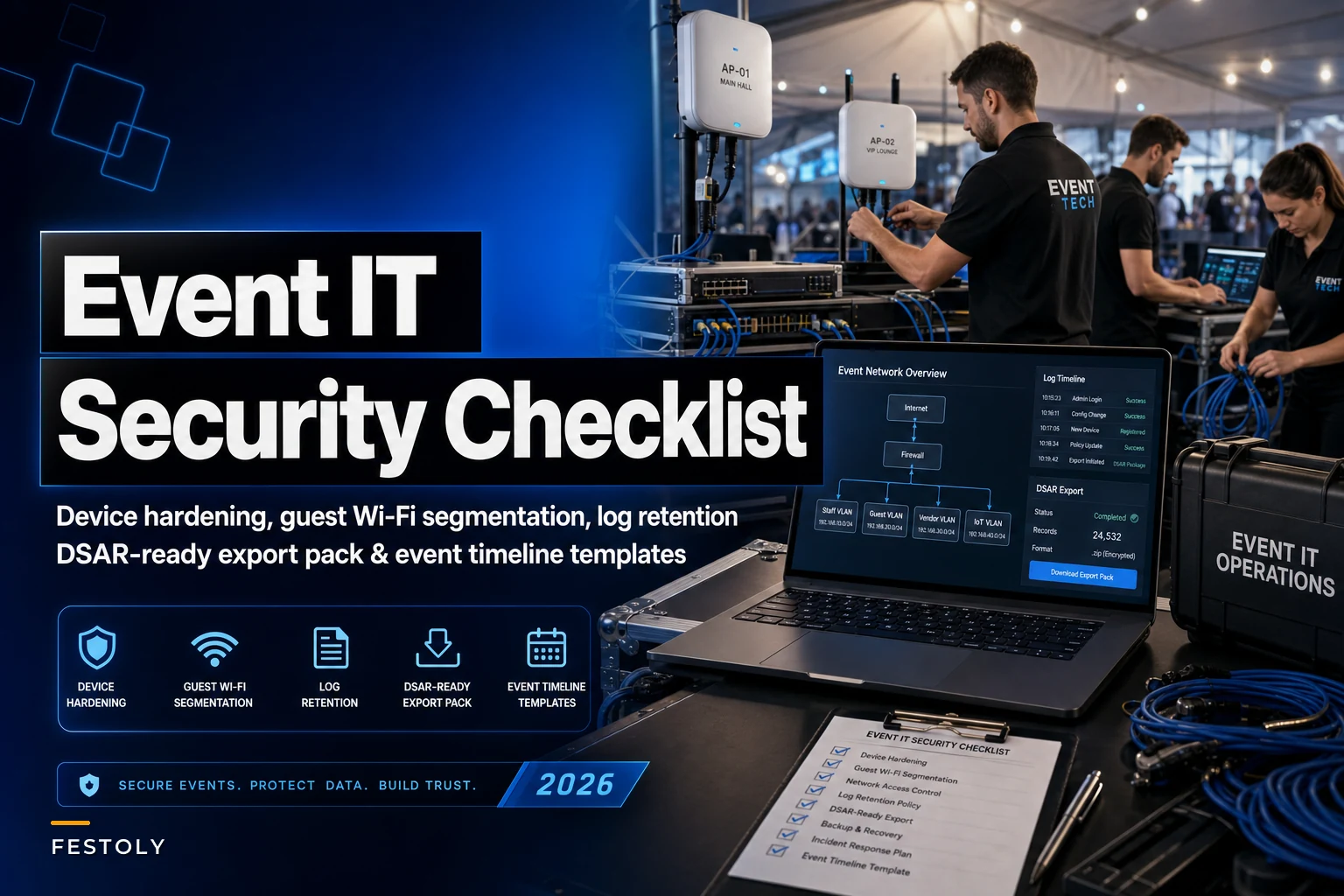

Temporary event networks are strange. You stand up a full business-grade network in a loading dock on Wednesday, run tens of thousands of attendee interactions through it over a weekend, then tear it all down Monday morning. No IT department inherits it. Nobody patches it next quarter. Whatever security posture you set on day one is what you're stuck with for the entire lifespan of that network.
That compressed timeline is exactly why event networks get sloppy. People treat them as disposable, so they skip the hardening they'd never skip on a permanent office setup. Then something leaks — a POS terminal gets reached from the guest WiFi, or a data subject request comes in six weeks later and nobody can find the access logs because the router was wiped and shipped back to the rental company.
Why temporary networks fail differently than permanent ones
Permanent networks fail slowly — misconfigurations accumulate, someone eventually notices. Event networks fail all at once, usually during the one weekend they matter, and then the evidence disappears when the gear goes back in the road cases.
The pattern is common across mid-sized events: the AV vendor brings their own router, the registration vendor brings theirs, catering plugs a tablet into whatever SSID has signal, and sponsors ask for "just the WiFi password" to run their demos. By Saturday afternoon you have five or six subnets nobody fully owns, default admin passwords still live on half the hardware, and a guest network that can see straight into the payment VLAN because somebody flattened the config to make a printer work during load-in.
The second failure mode is legal, not technical. Attendees in the EU, California, and increasingly other jurisdictions can file a data subject access request (DSAR) about the personal data you collected — badge scans, WiFi captive-portal signups, CCTV, lead-retrieval data. The clock on that request is usually 30 to 45 days. The problem is your network existed for three days and got dismantled. If you didn't set log retention and export before teardown, you're reconstructing attendee data interactions from memory, which is both a compliance failure and a genuinely miserable week.
Device hardening: the first two hours of load-in
Device hardening on an event network isn't complicated, it's just always skipped under time pressure. The fix is making it part of the load-in checklist so it happens before anyone's stressed.
Eliminate event chaos with Festoly.
Manage every aspect of your event seamlessly — from planning to execution.
- Centralized event scheduling
- Real-time attendee tracking
- Vendor & resource coordination
No credit card required
Here's the baseline for every network device you deploy — routers, switches, access points, POS terminals, registration laptops, and any tablet touching attendee data:
-
Change every default credential before the device connects to anything. Rental gear ships with known defaults. Attackers scan for them. This is the single highest-value five minutes in the whole process.
-
Disable WAN-side management. You don't need to administer the router from the public internet during a three-day event. Turn remote management off entirely.
-
Patch firmware during staging, not on-site. Rental routers and APs are often months behind. Update them in the office or hotel the night before, where a failed update doesn't cost you show time.
-
Turn off unused services. UPnP, WPS, Telnet, and legacy SNMP are all off by default in your baseline. WPS in particular is a common backdoor onto guest networks.
-
Lock down physical access. Networking gear lives in a locked case or a staffed booth, not under a skirted table where anyone can reach a reset button or plug in a rogue device.
-
Inventory every device by MAC before go-live. You can't segment or audit what you haven't written down. A simple spreadsheet of device, MAC, VLAN, and owner is enough.
The mistake that shows up most often: people harden the core router and forget the dozen edge devices. The registration laptop running on a sponsor's loaner, the catering tablet, the merch POS — those are the soft entry points. One unpatched tablet on the wrong VLAN undoes all the work you did on the firewall.
A quick note on BYO vendor gear. Every vendor who brings their own router is a subnet you don't control sitting inside your event. The baseline rule: vendor-owned networking equipment either gets configured to your standard or lives on an isolated connection that cannot reach your operational VLANs. "They brought their own, so it's their problem" is how payment data ends up on a network you've never audited.
Guest WiFi segmentation that actually holds
Guest WiFi is where most event networks quietly break their own security model. The intent is always right — attendees on one network, operations on another — but the execution collapses when someone needs to make a printer, a POS, or a sponsor demo work across the boundary.
Think of your event network in tiers, strictly separated:
| Network Tier | Who's On It | Can Reach | Cannot Reach |
|---|---|---|---|
| Payment / POS | Card terminals, settlement devices | Payment processor only | Everything else |
| Operations | Registration, credentialing, staff devices | Internal ops systems | Guest, payment, sponsor |
| Sponsor / Exhibitor | Booth demos, lead retrieval | Internet only | Ops, payment, guest |
| Guest WiFi | Attendees | Internet only | All internal tiers |
The core segmentation rules that keep this honest:
-
Client isolation on guest WiFi, always. Attendees should not be able to see each other's devices. This blocks the person who connects to free event WiFi specifically to scan everyone else on it.
-
Guest and sponsor networks are internet-only. They route out to the public internet and nowhere else. No reaching the ops subnet, no reaching the printer, no exceptions that outlive the moment someone created them.
-
No cross-VLAN "temporary" rules. The single most common breach path is a firewall rule added during setup to solve a connectivity problem that never gets removed. If a rule must be added, it gets a removal owner and a teardown deadline written down the moment it's created.
-
Payment is its own island. The POS tier talks to the processor and nothing talks to it. If someone wants a reporting dashboard on the payment VLAN, the answer is no — give them read access from the ops tier instead.
-
Separate SSID per tier, with the guest SSID clearly the only public one. Staff should physically be unable to accidentally join the guest network with an ops device because the SSIDs are named unambiguously and ops devices only have ops credentials.
The subtle failure here is the captive portal. A lot of events collect email and marketing consent through the guest WiFi login screen. That's fine, but it means the guest network is now a personal-data collection point, which pulls it directly into DSAR scope. Whatever the portal collects has to land somewhere you can query later. If the signup data lives only on the rental appliance, it's gone at teardown.
For events running a lot of integrated systems, how these tiers map to your data flows matters as much as the firewall config. The thinking in this operating model for metric ownership and SLAs applies directly — someone has to own each data stream, including the WiFi portal captures, or it falls through the cracks exactly when a request forces you to account for it.
Log retention sized to event timelines
This is the part almost nobody sets up correctly, because it requires thinking past teardown while you're still in setup.
Default logging on rental networking gear is usually a small rolling buffer that overwrites itself every few hours and lives only on the device. For a three-day event with a 30-to-45-day DSAR window, that's useless. The logs you'd need to answer a request are gone before you've even finished reconciling POS settlements.
-
Captive portal / WiFi signup data — the personal data itself, retained per your privacy policy (often 12–24 months if used for marketing, but tie it to your stated retention, not the device default).
-
DHCP and connection logs — who connected, when, which device. Retain through the full DSAR window plus a buffer. 60–90 days is a reasonable floor.
-
Access and authentication logs for ops and payment systems — 90 days minimum, longer if your processor or insurer requires it.
-
Firewall deny/allow logs — these matter if you ever need to prove the payment tier was isolated. Retain 90 days.
The operational fix is getting logs off the ephemeral device and into something durable before teardown. Two practical options:
-
Forward logs to a central collector during the event. Even a basic syslog server or a cloud logging bucket that each device ships to means nothing is lost when the hardware goes back.
-
Export and archive at teardown as a checklist step. If you can't centralize, then "pull and archive all logs" becomes a mandatory load-out task, same priority as counting the cash drawers. A device that gets wiped before its logs are exported is a device that destroyed evidence.
The pattern that burns people: the network worked perfectly, the event was a success, the gear got returned Monday, and then a request arrives in week four asking what data was collected about a specific attendee and who could access it. Without retained logs, the honest answer is "we don't know," and "we don't know" is not a defensible position with a regulator.
Who should not over-build this
If your event collects no personal data over the network — no captive portal signups, no lead retrieval, no badge-linked WiFi — you don't need 24-month retention and a DSAR pack. A small community event running internet-only guest WiFi with no data capture can keep this minimal: harden devices, isolate guest traffic, retain connection logs for the DSAR window, done. The heavy log retention exists because you're collecting personal data, so scope it to what you actually collect. Over-building security theater on a network that captures nothing just creates work and a false sense of rigor.
The exportable DSAR quick-pack
When a data subject access request lands, you're on a clock and you don't want to be reverse-engineering your own network from memory. The quick-pack is a pre-built folder you assemble during teardown, so that answering a request later is a lookup instead of an investigation.
Build this during load-out, while the network still exists and the people who ran it are still on-site:
-
Data inventory map — every system that touched attendee personal data, what it collected, and where that data now lives. Captive portal, registration, lead retrieval, CCTV, POS.
-
Network topology snapshot — the final VLAN/tier diagram with device inventory, showing what could reach what. This is your proof of segmentation.
-
Retention statement — for each data type, how long it's held and why, matching your published privacy policy.
-
Access log archive — the retained DHCP, auth, and firewall logs, exported and timestamped.
-
Processor and vendor list — which third parties (WiFi vendor, registration platform, lead-retrieval provider) hold attendee data and how to reach their DPO or compliance contact, since a DSAR often has to fan out to them.
-
Contact and escalation sheet — who on your team owns the response, and the submission timestamp log so you can prove you met the deadline.
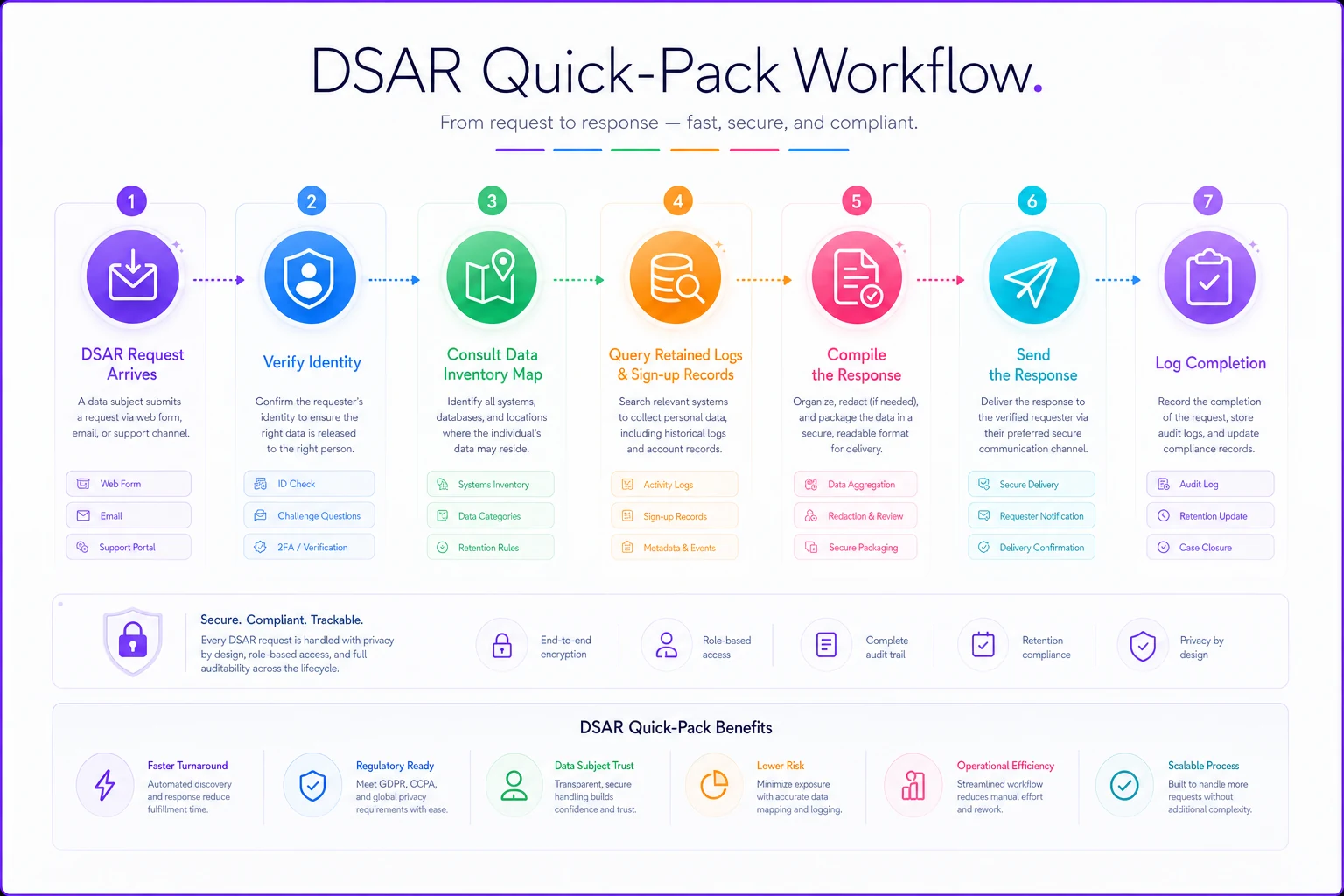
A typical DSAR response with this pack ready looks like: request arrives → verify the requester's identity → open the data inventory map to find every system holding their data → query those systems using the retained logs and signup records → compile what you hold → send the response and log the completion date. With the pack built, that's a day or two of work. Without it, it's a scramble across returned hardware and vendor emails that routinely blows past the legal window.
The vendor fan-out is where timelines die. If your registration runs on one platform, lead retrieval on another, and WiFi on a third, a single attendee's data lives in three companies you don't control. Your quick-pack needs their compliance contacts pre-filled, because requesting data from a vendor who takes two weeks to respond eats half your window before you've started. When evaluating platforms in the first place, data portability and DSAR support are worth weighing — the kind of thing covered in this rundown of event software categories and capabilities, because a platform that can't export subject data cleanly becomes your problem on a 30-day clock.
The quick-pack workflow looks like this:
The vendor fan-out is where timelines die. If your registration runs on one platform, lead retrieval on another, and WiFi on a third, a single attendee's data lives in three companies you don't control. Your quick-pack needs their compliance contacts pre-filled, because requesting data from a vendor who takes two weeks to respond eats half your window before you've started.
A real scenario
A regional two-day trade show, around 6,000 attendees, ran guest WiFi through a captive portal that collected email and marketing opt-in — roughly 2,800 signups over the weekend. The portal lived entirely on the rental WiFi appliance. Gear was returned the Tuesday after.
Five weeks later, an attendee filed a DSAR asking what personal data had been collected and who it was shared with. The signup data was gone with the appliance. The lead-retrieval data lived with a sponsor vendor nobody had a compliance contact for. Reconstructing the response took the better part of three weeks and a lawyer's time, and they still couldn't fully account for where the WiFi signups had ended up because the only copy had been on returned hardware.
The following year, same event, they changed three things: the captive portal forwarded signups to a cloud bucket in real time, logs were archived as a load-out checklist item, and the DSAR quick-pack was assembled on-site during teardown with the sponsor vendor's DPO contact pre-filled. When a request came in that cycle, the response went out in under a week. Same event, same data, completely different exposure — the difference was entirely in what got retained and organized before the network stopped existing.
The teardown is where security either holds or evaporates
What makes event IT security different from every other network you'll secure is that the network has an expiration date, and that date is the moment most of your evidence vanishes. Everything in this checklist — the hardened devices, the segmented tiers, the retained logs, the DSAR pack — is really about one discipline: doing the work while the network still exists, not after.
Make hardening part of load-in. Make log export part of load-out. Treat the guest/payment boundary as non-negotiable no matter who asks for a temporary exception. And build the DSAR pack on-site, with the gear in front of you and the people who ran it still in the room, because reassembling it later from returned hardware and half-remembered vendor relationships is the exact failure this baseline exists to prevent.
Make hardening part of load-in. Make log export part of load-out. Treat the guest/payment boundary as non-negotiable no matter who asks for a temporary exception. And build the DSAR pack on-site, with the gear in front of you and the people who ran it still in the room, because reassembling it later from returned hardware and half-remembered vendor relationships is the exact failure this baseline exists to prevent.
Ready to elevate your event management?
Join 5,000+ event organizers using Festoly to save time, improve coordination, and deliver memorable experiences.