

Most cold-chain failures at events don't happen because someone forgot to plug in a reefer truck. They happen at the loading dock, in that fifteen-minute window when a catering van pulls up, the driver's already behind, and your event lead waves the pallets through because the line's backing up. Nobody checks a temperature. Nobody photographs the product. And three hours later someone's sick and you're trying to reconstruct what happened from memory.
The intake step is where you either build a defensible record or gamble with your attendees' health. This post is specifically about that — the intake spec, the evidence rules, the logging templates, and the decision tree that tells your team exactly what to do when a reading comes back wrong. Not your entire food safety program. Just the gate at the front door, which is where most of the real risk lives.
The intake window is where the chain actually breaks
The cold chain isn't fragile everywhere — it's fragile at transitions. Product sitting in a properly running refrigerated truck for six hours is fine. That same product sitting on a sun-baked dock for 40 minutes while your team figures out where it goes is a problem. And events are basically a series of ugly transitions: truck to dock, dock to holding, holding to prep, prep to line.
What makes event intake different from a restaurant's back door is volume plus chaos plus strangers. You're not receiving from one vendor you've used for years. You might be receiving from eight vendors in a two-hour window, half of whom you've never worked with, using drivers who don't know your site and have no interest in your logging process. The person receiving is often a volunteer or a day-hire who doesn't know what a safe holding temperature even is.
The failure mode is predictable. Deliveries stack up. The receiver eyeballs boxes instead of probing product. A tray of chicken that spent too long in transit gets logged as "received, looks fine," and now the only evidence you have is a meaningless checkmark on a clipboard.
The fix isn't more abstract training. It's a spec specific enough that someone who's never done this before can execute it correctly on their first shift.
Mandatory photo-evidence rules
A temperature number written on a sheet is worthless in a dispute. The vendor says their product was fine when it left. You say it was 48°F at intake. Without evidence, it's your word against theirs — and if there's an illness claim, "your word" won't hold up with your insurer either.
Eliminate event chaos with Festoly.
Manage every aspect of your event seamlessly — from planning to execution.
- Centralized event scheduling
- Real-time attendee tracking
- Vendor & resource coordination
No credit card required
Photo evidence changes that. But loose photo rules ("take a picture of the delivery") produce garbage — blurry shots of a closed box that prove nothing. You need rules that are specific about what gets photographed and what has to be visible in the frame.
Here's the photo spec that actually holds up:
-
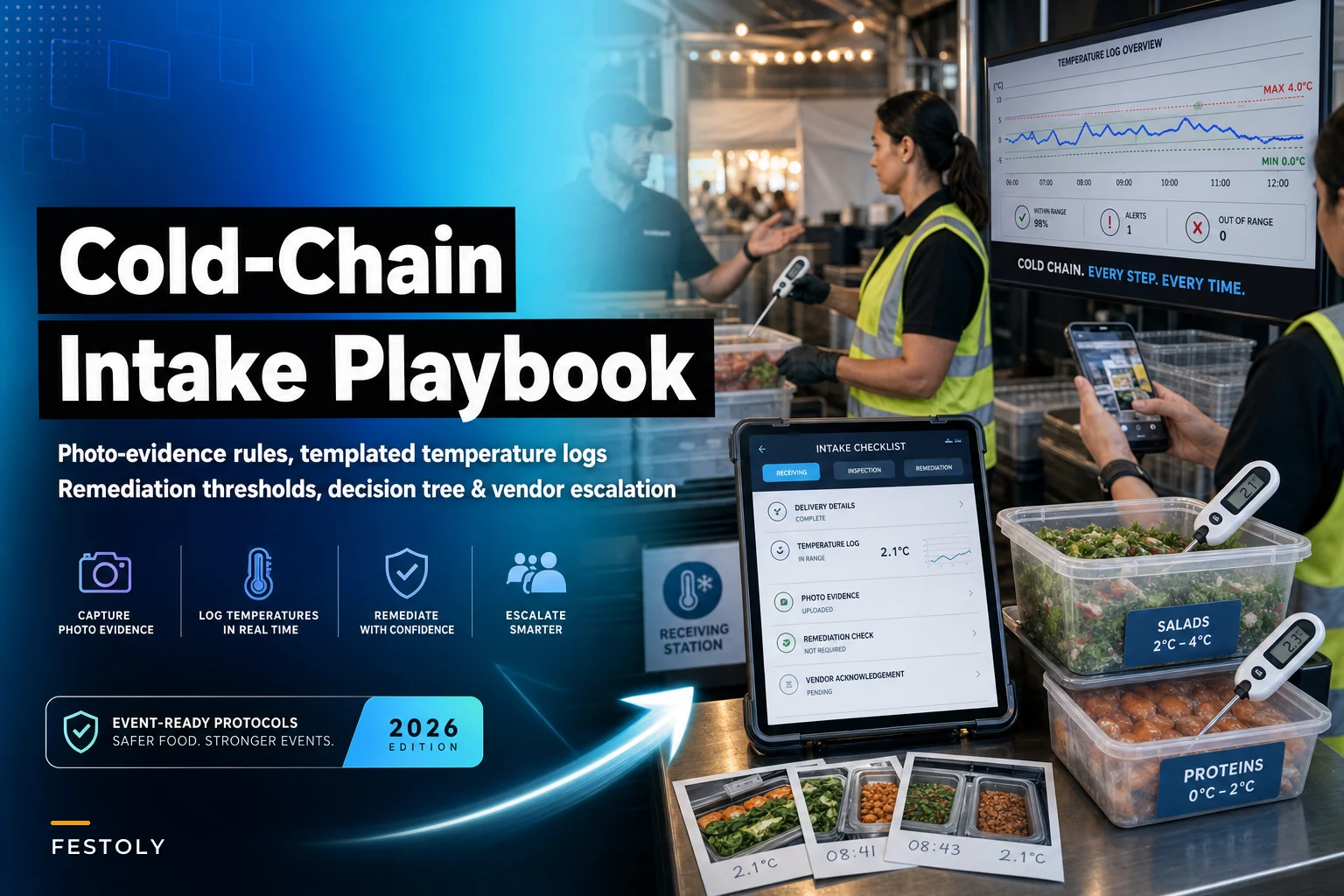
Probe-in-product shot. The thermometer probe inserted into the thickest part of the product, with the digital readout and the actual food both in the same frame. Not the box. The food, with a number next to it.
-
Timestamp visibility. Either the camera's native timestamp is enabled, or a slip of paper with the current time and delivery ID sits in frame. Phone photos carry metadata, but assume you'll need the human-readable version too.
-
Vehicle/unit shot for cold transport. A photo of the reefer unit's temperature display before the doors open — capturing the transport condition, not just the post-unloading state.
-
Damaged-packaging shot when applicable. Any crushed, wet, refrozen, or compromised packaging gets its own photo before the product is accepted or rejected.
-
One overview shot per delivery showing the full pallet or load with the delivery paperwork visible.
The rule that makes this work: no photo, no acceptance. If the evidence isn't captured, the delivery isn't logged as received, full stop. This sounds rigid, and it needs to be. The moment you allow "we were busy, we'll photograph the next one," the whole system collapses — because the busy moments are exactly when things go wrong.
One thing worth flagging: teams that photograph only when something looks wrong end up with no baseline. You want the clean deliveries documented too, because a folder full of normal intakes is what proves your process was actually running on the day someone claims otherwise.
Temperature-log templates that a stranger can fill out
Most event temperature logs are too vague to be useful. "Cold food — OK" tells you nothing three weeks later. A usable log captures enough that anyone reviewing it can reconstruct exactly what condition the product was in at intake.
Here's a field structure that works:
| Field | What goes in it | Why it matters |
|---|---|---|
| Delivery ID | Short code tied to the vendor + time slot | Lets you connect the log to photos and paperwork |
| Vendor name | The actual company, not "catering" | Needed for escalation and post-event review |
| Product | Specific item ("raw chicken thighs") | Different products have different thresholds |
| Category | Cold / frozen / hot-hold / ambient | Sets which threshold applies |
| Reading | Actual probe temp, one decimal | The number that drives the decision |
| Time | Exact intake time | Establishes the timeline for time-out-of-temp math |
| Receiver | Name of person logging | Accountability, and who to ask later |
| Action | Accepted / Rejected / Held for recheck | The decision made at that moment |
| Photo ref | Filename or photo count | Links log entry to evidence |
Two thresholds anchor the whole thing. Cold product should be at 41°F (5°C) or below. Hot-held product should be at 135°F (57°C) or above. The zone between those is where bacteria multiply fastest, and it's the zone your intake process exists to keep product out of.
The subtle mistake here is logging a single temperature per delivery. If a van drops six trays of different products, six readings go in the log. Bundling them into one "cold food: 39°F" line hides the tray that was actually sitting at 46°F because it was stacked near the door.
The decision tree tied to food-safety thresholds
The whole point of the intake spec is that the person at the dock doesn't have to decide anything. The reading tells them what to do. That only works if you've drawn the decision tree in advance and the receiver just follows it.
Here's the tree for cold product at intake:
-
Probe the product. Read the temperature.
-
If ≤ 41°F Accept. Log the reading, capture the photos, move it to cold holding immediately.
-
If 42°F–45°F Borderline band. Check how long the product has been out of temperature control — transit time plus dock time. If total time in the danger zone is under two hours and the product can be brought back down quickly, accept but flag for priority cooling and a recheck within 30 minutes. If you can't confirm time or can't cool it fast — reject.
-
If 46°F–70°F Reject. Do not accept into service. Photograph, log as rejected, initiate vendor escalation.
-
If frozen product shows signs of thaw/refreeze (ice crystals, water pooling, soft product): Reject regardless of current reading — what the thermometer says now doesn't tell you what happened in transit.
For hot-held product arriving hot:
-
Probe. Read.
-
If ≥ 135°F Accept, move to hot holding.
-
If 121°F–134°F Accept only if it can be reheated to 165°F within the safe window; otherwise reject.
-
If < 121°F Reject.
The two-hour rule is the piece people misapply most. It's cumulative, not per-stop. Time the product spent warming in the truck counts against the same clock as time on your dock. A driver saying "it's only been ten minutes since I opened the doors" is irrelevant if the product spent 90 minutes climbing in temperature in an underpowered van. Your log needs the transit context, which is why the reefer-unit photo matters.
If you already run a decision tree for allergen incidents, this slots in alongside it — the same intake-desk mindset that drives the allergen incident decision tree in catering operations applies here: pre-decide the response so the person on the ground never has to improvise under pressure.
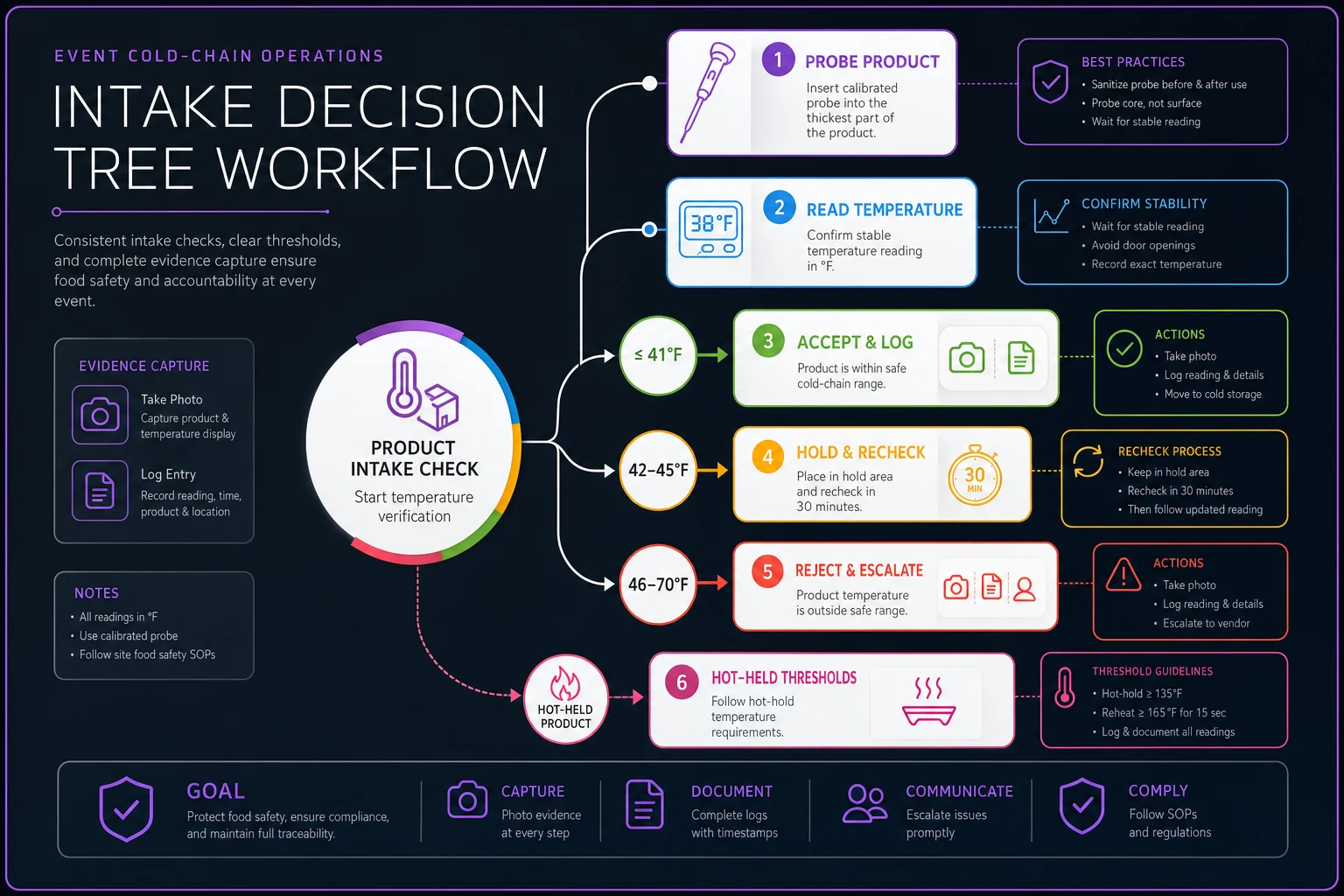
This diagram lays out the intake decision flow at a glance.
Remediation triggers: what "held for recheck" actually means
The borderline band — that 42–45°F zone — is where remediation lives. "Held for recheck" isn't a quiet way to accept sketchy product. It's a short, tightly timed process with a hard endpoint.
-
The product goes to the coldest available holding, not general storage. If you don't have rapid-cool capacity on site, there is no recheck — it's an automatic reject.
-
A 30-minute timer starts. The receiver writes the recheck time directly on the log.
-
At recheck, the product is re-probed. If it's ≤ 41°F and trending down, it clears. If it's static or rising, it's rejected — no third chance.
-
Every step gets a photo, same as intake.
Assign a named owner to the 30-minute timer so rechecks don't get forgotten.
The failure pattern to watch for: "held for recheck" becoming a parking lot where flagged product sits and everyone forgets about it until it ends up on the line anyway. A 30-minute timer with a named owner is what prevents that. If nobody's reliably watching the clock, don't offer the recheck path — just reject.
There's a real judgment call baked into this. Rechecking makes sense for high-value product where a false rejection costs real money and you genuinely have the cooling capacity to recover it. It's a bad idea when you're understaffed, your holding is already maxed, or the product is high-risk — raw poultry, shellfish, anything served without a further kill step. In those cases, reject and move on. A wasted tray costs a fraction of what an illness cluster does.
Vendor escalation flows
A rejection at the dock is only half the response. The other half is what happens with the vendor, because a rejected delivery means you're short food for a live event and you have a supplier problem to document.
Operational track — cover the gap. The event lead is notified immediately, not at the next check-in. Depending on the shortfall, that means pulling from backup inventory, activating a secondary vendor, or adjusting the menu. This is a live-ops decision and it can't wait for the vendor conversation to resolve.
Vendor track — formal notice. The vendor gets contacted with specifics: delivery ID, product, temperature reading, time, and the photo evidence. Not "your food was bad" — "delivery D-14, chicken thighs, probed at 51°F at 10:42, photos attached, rejected per our intake spec." Specificity is what turns a shouting match into a documented dispute you'll win.
Documentation track — build the record. Everything gets filed: log entry, photos, who was notified and when, what remediation happened. This is your protection if the rejection turns into a chargeback fight or, worse, if illness gets reported and someone starts asking who knew what.
A quick escalation-severity guide keeps responses proportionate:
| Situation | Escalation level | Response |
|---|---|---|
| Single borderline tray, cleared on recheck | Low | Log only, note for post-event vendor review |
| Single rejection, gap easily covered | Medium | Formal vendor notice + operational fill |
| Multiple rejections from one vendor | High | Vendor lead called, consider halting all their deliveries |
| Systemic failure (whole load compromised) | Critical | Stop delivery, event manager + food safety lead engaged, full incident file opened |
That top row matters more than it looks. A vendor whose product keeps landing in the borderline band across multiple deliveries isn't having bad luck — they've got a cold-chain problem in their operation, and you're catching the early warning. Tracking those low-level flags across the event is how you spot the vendor who's about to cause a critical incident before they actually do.
If a rejection ever tips into an actual illness situation, the intake documentation becomes the backbone of your incident response — it feeds directly into the kind of structured response covered in the event medical and emergency playbook, where the timeline and evidence you captured at the dock determine how fast and credibly you can act.
A real scenario
A regional food festival — roughly 40 vendors, three-day run — had been losing product to spoilage for years and had one attendee illness complaint the prior year that went nowhere because there was no evidence trail on either side. Their intake process was a single clipboard at one gate with a volunteer checking off boxes.
They rebuilt around a simple spec: probe every cold and hot-held delivery, photograph probe-in-product plus the reefer display, log to a shared template on a phone, follow the fixed decision tree.
Day one was rough — somewhere around 15–20 minutes added per delivery while receivers were still finding their rhythm. By day two that dropped to a few minutes. Over the weekend they rejected six or seven deliveries that would previously have sailed through, including one van of chilled dairy sitting near 50°F. No illness reports that year. And when one vendor tried to dispute a rejection chargeback afterward, the photo with the probe reading and timestamp ended the conversation in about one email.
The interesting part wasn't the rejections. It was that two vendors quietly improved their own transport practices after they realized the festival was actually probing product. They knew loose deliveries weren't going to get waved through anymore, so they stopped sending them.
Where this fits with the tools you already run
None of this requires a big platform. A shared phone template and a disciplined team will get you most of the way there. But the piece that's genuinely hard to manage on paper is the pattern — connecting three borderline readings from the same vendor across a two-day event, or making sure every log entry actually has its photos attached before you close out the day.
That's where AI-assisted operational software earns its place. Not making the safety decision — the decision tree does that — but keeping the record clean, flagging when a vendor's readings are trending the wrong direction across multiple deliveries, and making sure no "held for recheck" entry gets abandoned without a resolution. The judgment stays with your team. The tracking and the "this vendor's had three flags today" nudge is the part worth automating, because that's exactly the part humans miss when the dock is chaos.
Bottom line on the intake gate
Cold-chain safety at events is decided in a handful of short, hectic windows at the loading dock.
The difference between a defensible operation and a serious liability problem is whether you built the spec before the trucks showed up. Fixed thresholds, mandatory photo evidence, a log anyone can fill out, a decision tree that removes guesswork, and an escalation flow that documents everything — that's the whole system. Get the front door right and the rest of your food safety program has something solid to stand on.
Fixed thresholds, mandatory photo evidence, a log anyone can fill out, a decision tree that removes guesswork, and an escalation flow that documents everything — that's the whole system. Get the front door right and the rest of your food safety program has something solid to stand on.
Ready to elevate your event management?
Join 5,000+ event organizers using Festoly to save time, improve coordination, and deliver memorable experiences.