
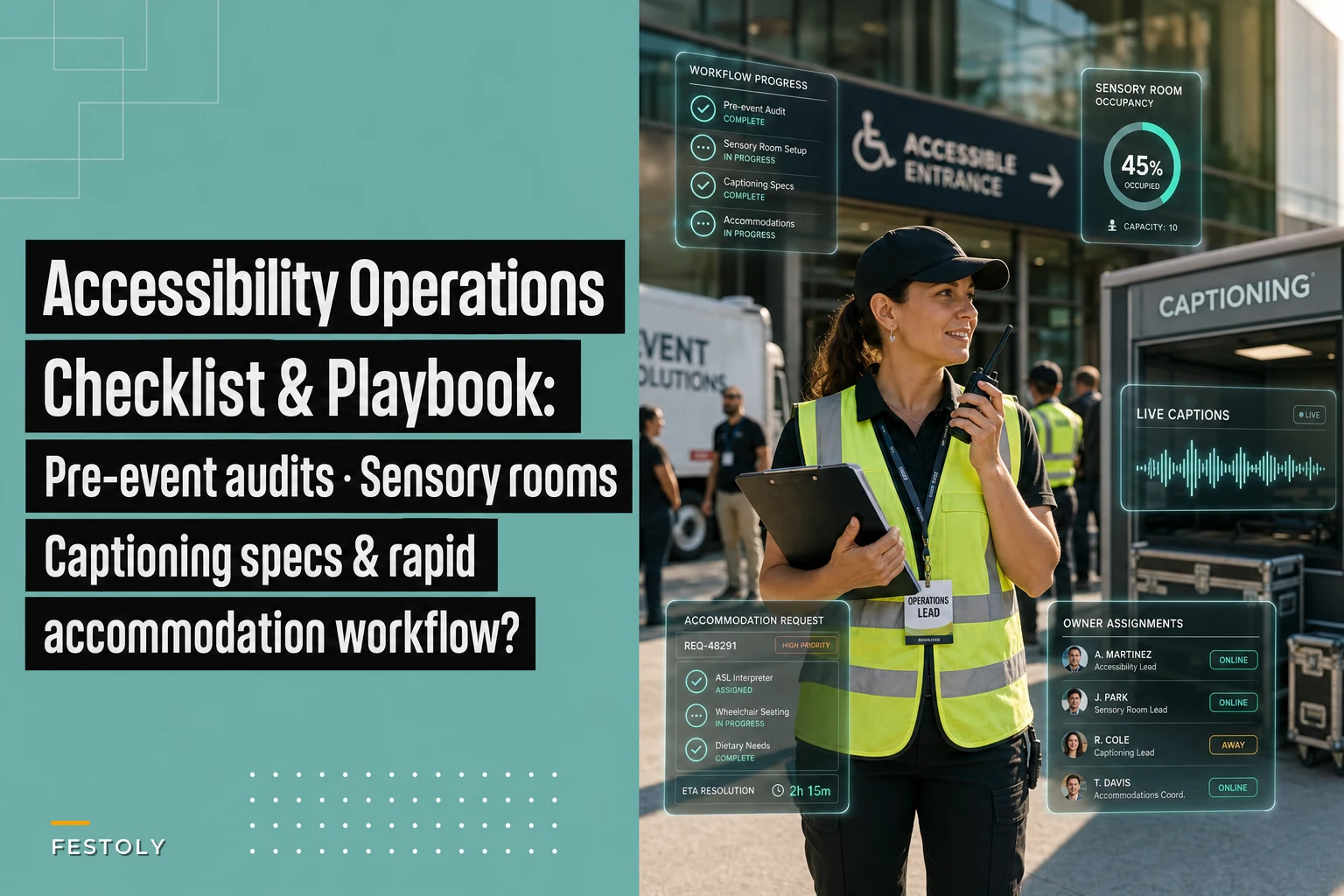

Most accessibility failures at events aren't caused by people who don't care. They're caused by planners who cared but ran out of runway. A guest emails three days out asking for ASL interpretation, and now you're calling agencies who are already booked. Someone shows up with a service animal and your front-of-house team has no idea what they're allowed to ask. The sensory room exists on paper but nobody assigned a person to it, so it's locked half the day.
The core problem with event accessibility operations is timing and ownership. Accommodations get treated as a reactive checklist item instead of a workflow with deadlines, named owners, and fallback plans. This piece walks through the operational side specifically — the audit you run before doors open, who owns what, how sensory rooms actually run during the day, captioning specs that don't embarrass you on the livestream, and a request workflow that can absorb a last-minute ask without breaking.
Start With the Pre-Event Accessibility Audit (and Run It Twice)
The audit is where most of the risk gets caught, and where most teams cut corners. The mistake is running it once, four weeks out, and assuming the venue hasn't changed. Venues change constantly — a "temporary" pipe-and-drape wall goes up, the accessible restroom gets converted to storage, a caterer parks a prep table across the ramp.
Run the audit twice. Once during the site walk when you're still negotiating layout, and once on load-in day before anything opens. The second pass catches the operational reality that the floor plan never shows.
Here's the difference between a checkbox audit and a real one:
| Area | Checkbox version | What to actually verify |
|---|---|---|
| Entrances | "Ramp available" | Ramp slope is manageable, path isn't blocked by cabling, automatic door works |
| Restrooms | "Accessible restroom exists" | It's unlocked, not used for storage, and within reasonable distance of main room |
| Seating | "Wheelchair seating available" | Companion seats next to it, sightlines aren't blocked by standing crowds |
| Signage | "Signs posted" | High contrast, readable height, includes directional info to quiet spaces |
| Audio | "Sound system works" | Hearing loop or assistive listening tested with an actual receiver |
| Stage/Screens | "Screens visible" | Captions legible from the back row, interpreter has lit position |
The pattern that shows up constantly: teams verify that things exist but never verify they work under load. A hearing loop that hums when the HVAC kicks on is useless. A quiet room next to the DJ load-in is not quiet. You only catch these by testing during setup, not by reading a spec sheet.
One practical move — walk the full guest path in a wheelchair if you can borrow one, or at minimum push a loaded luggage cart along it. You'll feel every threshold, every too-tight turn, every 15-foot detour that a floor plan makes invisible.
Assign Accommodation Roles Before You Assign Anything Else
The single most common on-site failure isn't a missing ramp. It's that nobody knew whose job the accommodation was. The interpreter shows up and asks where to stand — and three staff members point at each other.
Eliminate event chaos with Festoly.
Manage every aspect of your event seamlessly — from planning to execution.
- Centralized event scheduling
- Real-time attendee tracking
- Vendor & resource coordination
No credit card required
Accommodations need named owners the same way your registration desk or AV does. Not "the team handles it." A person, with a radio, whose day is built around this.
-
Accessibility Lead — owns the whole domain, holds the request tracker, makes real-time calls when something breaks.
-
Sensory Room Attendant — physically staffs the quiet space, manages entry, resets it between uses.
-
Front-of-House Accommodation Contact — the person greeters escalate to for service animals, mobility assistance, seating.
-
Captioning/Interpreter Liaison — coordinates positioning, cueing, and hand-off between sessions.
For smaller events you can collapse these, but you cannot collapse them to zero. Even a 150-person conference needs one clearly named person who owns accommodations, not a role smeared across whoever's free.
This overlaps directly with how you'd structure any complex on-site team — the same RACI logic that keeps handoffs clean in a modular multi-day operations setup applies here. Accessibility isn't a special exception to your ops model; it's a lane inside it.
The mistake that quietly kills this: assigning the accessibility role to someone who also owns something high-churn like registration or catering. The moment the line backs up at the door, accommodations get abandoned because the shared owner is drowning somewhere else. Keep the role protected, at least during peak hours.
How a Sensory Room Actually Runs During the Day
A sensory or quiet room is easy to promise and easy to get wrong. Teams put a couch and a "Quiet Space" sign in a room and call it done. Then it gets used as a nursing room, a coat closet, and a spot for a staffer to take a phone call — all before noon.
A quiet room needs procedures, not just a location. Here's what a functioning one looks like operationally:
-
Dedicated, controllable space. Lights on a dimmer or at least a lower setting. Door that closes fully. Away from load-in, kitchens, DJ stacks, and high-traffic corridors.
-
A single purpose. It's a decompression space. Not the nursing room, the prayer room, or overflow storage. If you need those, they're separate rooms. Sharing dilutes all of them.
-
An attendant during open hours. Someone who keeps the space calm, manages capacity, and gently redirects people who wander in to use it as a lounge.
-
A reset routine. Between users, tidy the space, reset seating, restock water and any sensory items. A room that gets messy stops feeling safe.
-
Clear wayfinding. Signage from the main space, and front-of-house staff who can actually point to it without checking a map.
The subtle thing most planners miss: a quiet room needs a capacity limit and an entry rhythm. Two people who both need low-stimulation space don't want to share it with a group treating it like a break room. The attendant's real job is protecting the atmosphere, not just unlocking the door.
Keep a labeled bin of extra water and basic sensory items so attendants can reset quickly between users.
Stock it simply — dimmable light, comfortable seating, a few noise-cancelling headphones, fidget items, water. You don't need a therapy suite. You need a reliably calm, reliably available room. Reliability beats fanciness every time.
Captioning Specs That Hold Up on a Live Feed
Captioning is where "we technically provided it" and "it was actually usable" diverge hard. Auto-captions on a session about pharmaceutical compliance or a founder's name-heavy panel produce word salad. And on a livestream, bad captions are permanent — they're baked into the recording everyone rewatches.
The distinction that matters operationally:
-
Automated captions are fine for low-stakes, general-vocabulary content where you've also got a human doing a quick cleanup pass. They fall apart on jargon, accents, crosstalk, and proper nouns.
-
Human CART (real-time captioning) is what you book for anything where accuracy matters — keynotes, technical sessions, panels, anything legally or reputationally sensitive.
Spec things out with your captioner before the day, not during it:
-
Latency target — real-time captioning should trail speech by only a second or two, not lag ten seconds behind.
-
Display placement — captions visible from the back rows and, for hybrid, embedded clearly in the stream without covering slides.
-
Glossary hand-off — send the captioner speaker names, product names, and technical terms in advance. This one step fixes most of the errors people complain about.
-
Fallback — if the CART feed drops, who switches to automated captions and how fast? Build that trigger the same way you'd build any tech-failure branch in a disruption decision tree.
For hybrid events specifically, captioning is doubly important because your remote audience has no other cues — they can't lip-read the speaker or ask a neighbor what was said. If you're running content across in-person and virtual, the coordination there is its own discipline, and the hybrid operations playbook covers how those streams stay in sync.
Worth flagging: booking a captioner and never sending them prep material is one of the most common and most avoidable mistakes. A CART writer with your speaker list and glossary is dramatically more accurate than one hearing "Ndiaye" and "Xeljanz" cold for the first time.
The Rapid Accommodation Request Workflow
Here's the scenario that breaks teams: everything's planned, and then a request arrives 48 hours out. Someone needs an interpreter, or gluten-free-and-nut-free-and-dairy-free, or a specific seat because of a mobility device. Your plan didn't account for them, and now the clock is the enemy.
A rapid request workflow exists specifically for this. The goal is to route the ask to a decision fast and log it so nothing falls through email.
A workflow that holds up under a late request:
-
One intake point. A single form or address, published on registration and confirmation emails. Not "email the organizer" — a defined channel that lands in the tracker.
-
Acknowledge within a set window. Even a "we've got this, we'll confirm details by tomorrow" reply prevents the guest from panicking and prevents duplicate escalations.
-
Triage by lead time. Same-day asks (a seat, a quiet space) go straight to the on-site Accessibility Lead. Multi-day-lead asks (interpreters, specialized equipment) trigger vendor calls immediately.
-
Log status and owner. Every request has a state — received, in progress, confirmed, on-site-ready — and a named owner. Nothing lives only in someone's head.
-
Close the loop with the guest. Confirm what's arranged and how they find it on the day. A confirmed accommodation the guest can't locate is a failed accommodation.
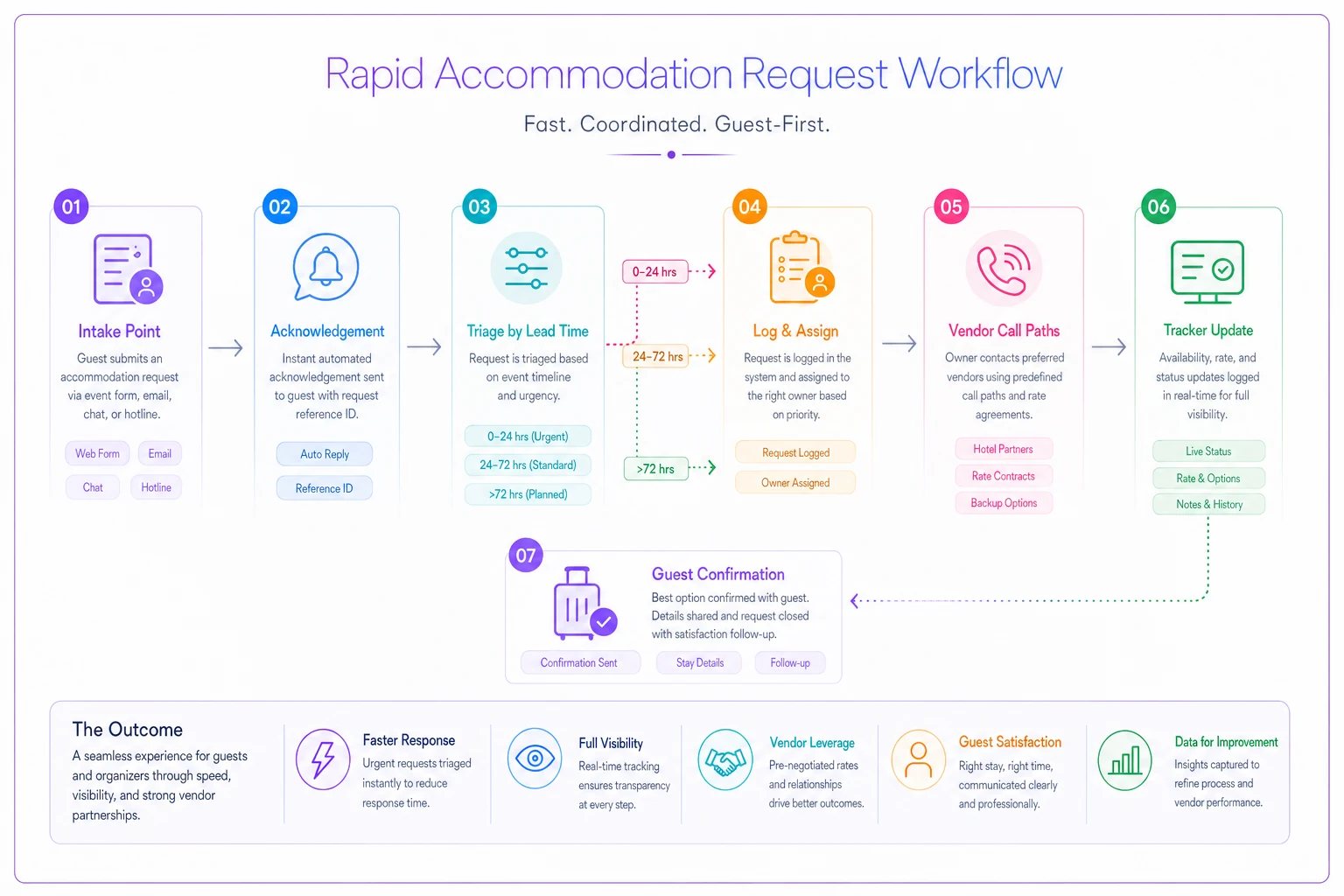
A simple flowchart like this helps teams visualize triggers and owners so the process isn't just in one person's head.
The pattern that separates teams who handle late requests well: they keep a standing vendor shortlist. Pre-vetted interpreter agencies, a captioning provider on call, a caterer who can handle allergen requests fast. When the 48-hour ask lands, you're calling a known number, not googling at 9pm.
This is also where a shared operations tracker earns its keep. When accommodation requests live in the same board as the rest of your run-of-show — with owners, statuses, and deadlines visible to the whole team — a late request slots in instead of blindsiding you. It's less about fancy software and more about not running accommodations through one person's inbox where they die in a thread.
A Real Scenario
A regional professional association ran an annual two-day conference, around 600 attendees. Their accommodation process was informal — requests came in over email to the event coordinator, who tracked them in her head and a scattered spreadsheet.
The year it broke: two interpreter requests arrived four days out, both got buried under load-in chaos, and only one was fulfilled. A guest who'd requested wheelchair seating found her reserved spot occupied because front-of-house never got the note. Post-event survey comments were rough, and two members said they wouldn't return.
The fix wasn't complicated. They set up a single intake form, named an Accessibility Lead who owned nothing else during peak hours, built a standing shortlist of two interpreter agencies and a CART provider, and put every request into a shared tracker with owner and status.
The next year, with roughly the same attendee count, they handled around a dozen accommodation requests — including three that arrived inside 72 hours — without a single one dropped. The coordinator's comment afterward was simply that she "stopped waking up at 4am worried she'd forgotten someone." Not a dramatic metric, but the right one.
When to Scale This Up — and When Not to Over-Engineer
If you're running a 60-person workshop, you don't need four named accommodation roles and a sensory-room reset routine. One competent owner and a clear intake channel is enough. Over-building process for a small event just creates overhead nobody follows.
The threshold where the full structure earns itself is roughly a few hundred attendees, multi-track programming, or any livestreamed content — the point where one person can't hold all of it and where a dropped accommodation becomes visible to a lot of people at once. Multi-day events push you there faster because fatigue and handoffs multiply the chances something slips overnight.
Where teams over-engineer: building elaborate accommodation systems while skipping the basics, like never testing the assistive listening system or never sending the captioner a glossary. The unglamorous fundamentals catch more real problems than any elaborate tracker.
Wrapping Up
Accessibility operations don't fail because planners are careless. They fail because accommodations get treated as a soft, reactive item instead of a lane in your operation with deadlines, named owners, and fallbacks. Run the audit twice, protect the accessibility role from getting absorbed into a busier one, give the quiet room actual procedures, spec your captioning before the day, and build a request workflow that can absorb a late ask without panic.
Do that, and the 48-hour request stops being a crisis and becomes a Tuesday. That's the whole point — not perfection, but a system steady enough that no guest gets forgotten in the chaos of load-in.
Ready to elevate your event management?
Join 5,000+ event organizers using Festoly to save time, improve coordination, and deliver memorable experiences.