


The catering vendor just called. They need approval to add three more serving stations because registration jumped 40% above projections. Your AV contractor wants to upgrade the wireless mic system after yesterday's rehearsal revealed dead zones. Meanwhile, your production manager is texting about overtime costs that weren't in the original budget.
Every experienced event organizer knows this feeling. You're three weeks from show date, change requests are flooding in, and you have no clear picture of where your budget actually stands. The original spreadsheet from four months ago? Basically fiction at this point.
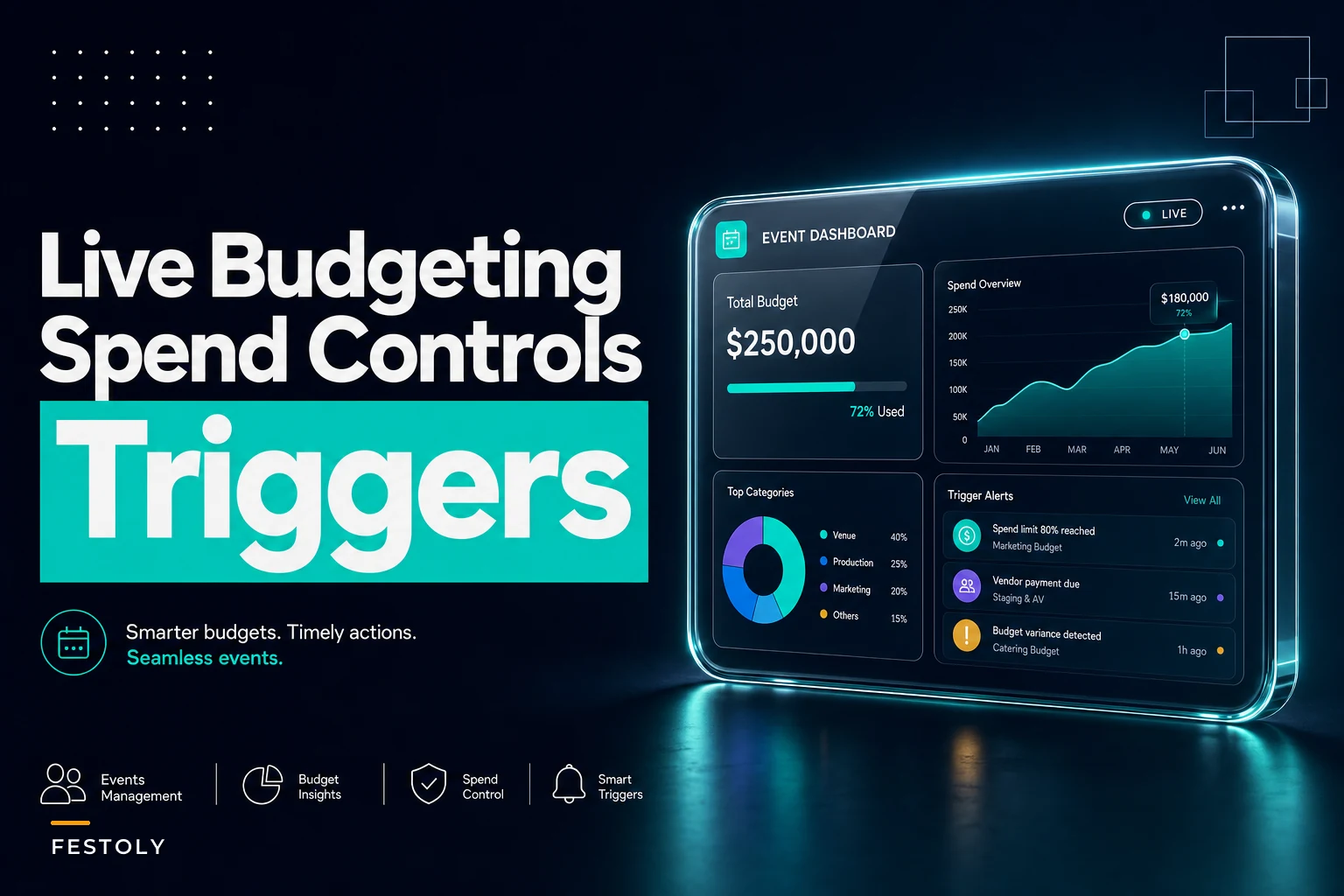
Real-time event budget tracking isn't about fancy dashboards or complex software. It's about building operational rules that catch overspend before it happens, not after the final invoice arrives six weeks post-event.
The Monthly Burn Rate Problem Nobody Talks About
Most event budgets fail in the final 30 days before the event. Not because of poor planning, but because month-of spending operates on completely different rules than pre-production spending.
During pre-production, you might process 15-20 vendor transactions per month. During the final month? That number jumps to 200+ transactions. Staff overtime kicks in. Rush shipping becomes standard. "Emergency" purchases multiply. The approval process that worked fine during planning completely breaks down when you're processing 10-15 urgent requests per day.
A corporate conference organizer managing a 500-person tech summit shared their numbers recently. Their October event had a $280,000 budget. By mid-September, they were tracking at 72% spent—looking healthy. By October 5th, they hit 94% spent. By event day, they were 118% over budget. The killer? Every single overage was "approved" by someone on the team.
The issue wasn't lack of approval. It was lack of real-time visibility into cumulative impact. When your AV lead approves a $3,400 equipment upgrade and your catering manager approves $2,800 in additional staff, neither realizes they just pushed you over your contingency threshold.
Building Trigger Thresholds That Actually Prevent Overspend
Percentage-based budget alerts don't work for events. Hitting 80% of budget in month one means something completely different than hitting 80% two weeks before the event. You need time-weighted thresholds that adjust based on proximity to event date.
Eliminate event chaos with Festoly.
Manage every aspect of your event seamlessly — from planning to execution.
- Centralized event scheduling
- Real-time attendee tracking
- Vendor & resource coordination
No credit card required
Time-weighted spend thresholds solve this problem:
| Days Before Event | Standard Threshold | High-Risk Threshold | Action Required |
|---|---|---|---|
| 90+ days | 40% spent | 50% spent | Review forecast |
| 60-90 days | 55% spent | 65% spent | Freeze non-essential |
| 30-60 days | 70% spent | 80% spent | Executive approval required |
| 15-30 days | 85% spent | 90% spent | Daily burn review |
| 0-15 days | 92% spent | 95% spent | CFO approval only |
These thresholds need to trigger progressively stricter controls, not just notifications. An alert that says "you're at 85% of budget" is useless if it doesn't automatically change the approval workflow.
A music festival production company implemented this exact framework last year. They run 8-10 festivals annually, each with budgets between $400K and $1.2M. Before implementing time-weighted thresholds, they averaged 12% budget overrun per event. After implementation? They're tracking at 3.5% over, with most events coming in under budget.
The key wasn't the thresholds themselves—it was linking thresholds to automatic workflow changes. When they hit 70% spend at 45 days out, the system automatically routes all purchase requests above $500 to senior management. At 85% spend, only the CFO can approve new vendors. These aren't suggestions; they're operational rules enforced by the system.
The Approval Workflow That Scales with Event Complexity
Standard approval chains break during event execution because they don't account for urgency or aggregate impact. Your typical workflow might look clean on paper: purchases under $1,000 need manager approval, over $5,000 need director approval. But what happens when you have twelve $900 purchases in a single day?
Multi-threshold approval workflows solve this by tracking both individual transaction size and rolling period totals.
Individual transaction thresholds work alongside rolling period controls:
-
Under $500
Team lead approval
-
$500-$2,000
Department manager approval
-
$2,000-$5,000
Operations director approval
-
Above $5,000
Executive approval
Rolling 48-hour thresholds catch aggregate spending:
-
Any individual approving more than $3,000 in 48 hours
Escalate to next level
-
Any department spending more than $8,000 in 48 hours
Executive review required
-
Total organizational spend exceeding $15,000 in 48 hours
CFO notification
This dual-threshold approach catches both the single large purchase and the death-by-a-thousand-cuts scenario that typically causes overruns.
Month-of-Event Burn Rate Monitoring
The final 30 days before an event need different financial controls than the planning phase. Your burn rate accelerates, decision velocity increases, and the cost of delays skyrockets.
Daily burn rate tracking becomes essential. Not weekly summaries or twice-weekly updates—actual daily tracking with same-day visibility.
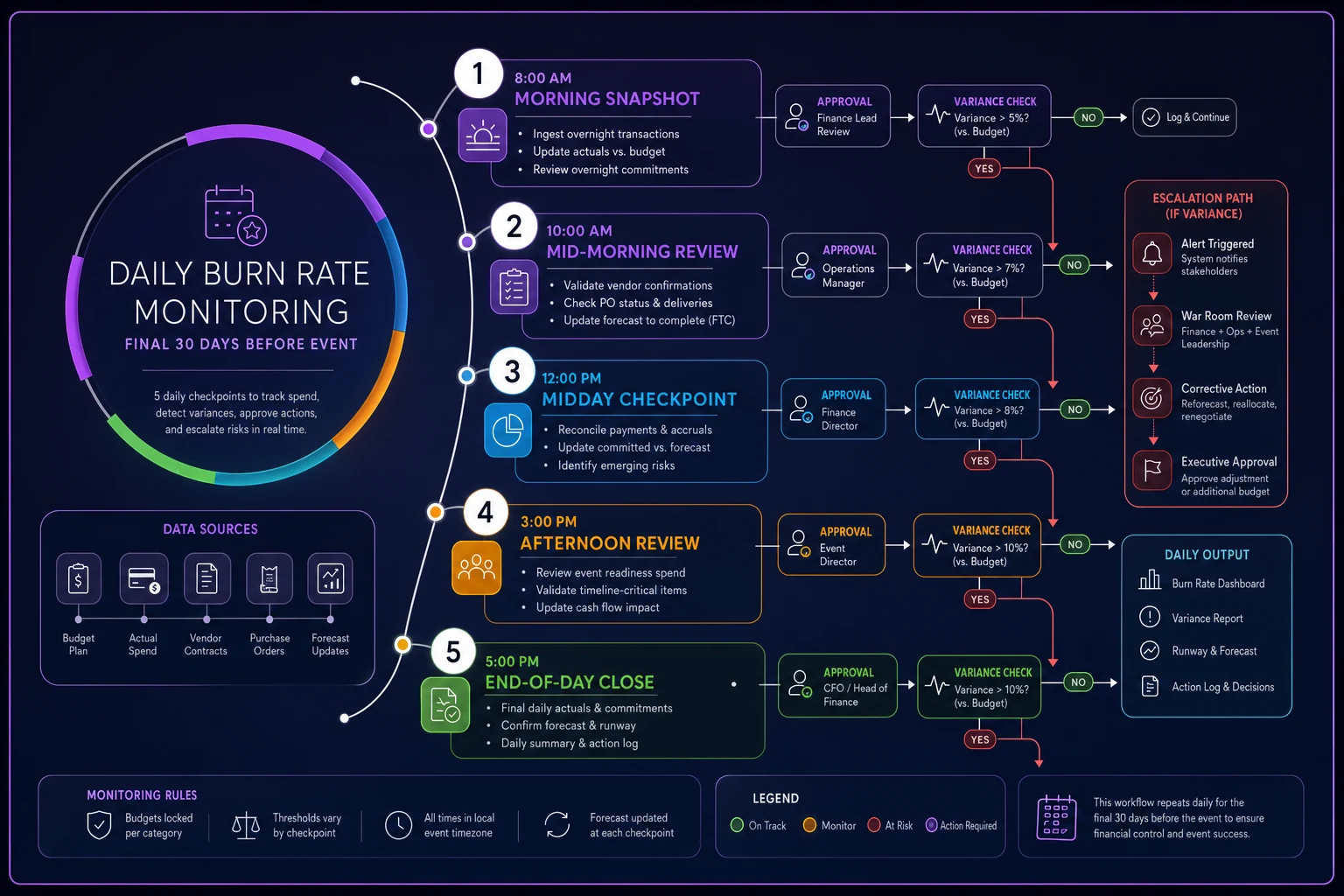
Daily burn rate checkpoints starting 30 days before event:
-
8 AM
Previous day's spend report auto-generated
-
10 AM
Department heads review their burn rate
-
12 PM
Variance report if burn exceeds daily allocation
-
3 PM
Approval queue cleared (no overnight pending)
-
5 PM
Next-day anticipated spend submitted
Here's a simple workflow for daily burn checks that teams can follow.
The daily allocation isn't simply 1/30th of remaining budget. It follows a burn curve based on typical event spending patterns:
| Days Before Event | % of Remaining Budget |
|---|---|
| 30-25 days | 2% daily |
| 24-15 days | 3% daily |
| 14-7 days | 4% daily |
| 6-3 days | 6% daily |
| 2-0 days | 8% daily |
An event management company running corporate conferences noticed their average daily burn during the final week was $18,000-$22,000, compared to $4,000-$6,000 during pre-production weeks. By setting daily burn thresholds based on this pattern, they reduced emergency spending by about 40% and eliminated most "surprise" overages.
Change Order Rules That Protect Your Bottom Line
Change orders destroy event budgets because they bypass normal approval processes under the guise of "client-approved modifications." Just because the client approved adding a cocktail hour doesn't mean you approved the $8,500 in associated costs.
Effective change order control requires three operational rules.
Rule 1: Cumulative Impact Tracking
Every change order must show total project impact, not just individual change cost. If you're adding $3,000 in lighting, the approval should show: "Original lighting budget: $15,000. Previous changes: +$2,200. This change: +$3,000. New total: $20,200 (34.7% increase)."
Rule 2: Source Budget Identification
-
Contingency fund (show remaining balance)
-
Reduction in another line item (specify which)
-
Client additional payment (show payment status)
-
Absorbed overrun (requires executive approval)
Rule 3: 48-Hour Cost Lockdown
Any change order within 48 hours of event requires both executive approval and identification of offsetting reduction. No exceptions. This prevents the cascade of last-minute "essential" changes that typically blow budgets.
A trade show production company managing 200+ booth installations per year built these rules into their operation. Previously, change orders represented 22% of their average event cost. After implementing structured change controls, that dropped to 11%, while client satisfaction actually increased because changes were handled more professionally.
Live Budget Templates and Tracking Tools
Static budget templates fail because events are dynamic. You need templates that adapt to real-time data and automatically adjust thresholds based on event timeline.
Essential template components include dynamic threshold calculators, vendor commitment trackers, and burn rate dashboards. The dynamic threshold calculator inputs total budget, event date, and risk tolerance, then outputs daily spend thresholds for the entire timeline and auto-adjusts based on actual spend rate.
Vendor commitment tracking separates committed spend (contracted), projected spend (estimated but not contracted), actual spend (invoiced/paid), and variance by vendor and category. The burn rate dashboard shows rolling 7-day average burn, projected vs. actual daily burn, days of budget remaining at current rate, and threshold breach alerts.
The template needs to handle three distinct spend categories differently. Fixed commitments like venue and major vendors require tracking payment schedules and flagging late payments that might incur penalties. Variable costs including staffing and F&B need monitoring for quantity changes and unit cost variations. Contingent expenses such as overtime and rush fees should be flagged when these exceed 5% of category budget.
Real Scenario: Conference Overspend Prevention
A medical association running their annual conference (1,200 attendees, $450K budget) implemented this framework after two consecutive years of 20%+ overruns.
Their tracking system caught a problem 18 days before the event. Daily burn rate was averaging $14,000 against a threshold of $11,000. Investigation revealed AV equipment additions adding $2,000/day, staff overtime approvals adding $1,500/day, and rush shipping fees adding $800/day.
Because they caught it early, they made three adjustments. They froze all AV additions unless safety-critical, shifted setup schedule to reduce overtime need, and batched remaining purchases to eliminate rush shipping.
Result: Came in 2% under budget instead of the projected 15% overrun they were heading toward.
The Operational Software Advantage
Manual tracking, even with good templates, breaks down under event-week pressure. You need systems that enforce thresholds automatically, route approvals based on real-time spend data, and provide instant visibility into budget impact.
AI-powered operational platforms can analyze spending patterns across multiple events, identify unusual burn rates before they become problems, and automatically suggest corrective actions based on what's worked in similar situations. More importantly, they enforce the approval workflows and threshold rules without requiring someone to manually check spreadsheets during the chaos of event week.
The automation handles the mundane tracking and alerting, letting your team focus on solving problems rather than finding them. When your operations manager gets an alert that today's burn rate is 140% of threshold, they can immediately investigate and correct rather than discovering the problem during next week's reconciliation.
Making This Work in Your Organization
Implementing real-time event budget tracking requires three commitments.
First, every single expense must flow through the same system. No side payments, no "I'll expense it later," no verbal approvals. If it's not in the system, it didn't happen.
Second, thresholds must have teeth. An alert without enforcement is just noise. When you hit 85% budget utilization, the approval workflow must actually change, not just send a notification everyone ignores.
Third, the entire team needs visibility. Not just finance, not just leadership—everyone approving expenses needs to see current burn rate and remaining budget in real-time. Hidden information creates accidental overruns.
The event organizations that successfully control budgets don't have better planners or more disciplined teams. They have better operational systems that make overspending structurally difficult rather than relying on individual vigilance.
Your next event doesn't need to end with budget surprises. Build the operational framework for real-time tracking, set thresholds that trigger actual workflow changes, and give your team the visibility they need to make informed decisions under pressure. The technology exists to make this automatic rather than manual. The question is whether you'll implement it before or after your next budget overrun.
Ready to elevate your event management?
Join 5,000+ event organizers using Festoly to save time, improve coordination, and deliver memorable experiences.